.:The Babylon Tool:.
Babylon is the implementation of
the FCM in eclipse. It features a full implementation of the
model and a support for the java language.
Babylon keeps the separation between the framework developer and
the framework user in proposing two different user interfaces.
The Babylon perspective
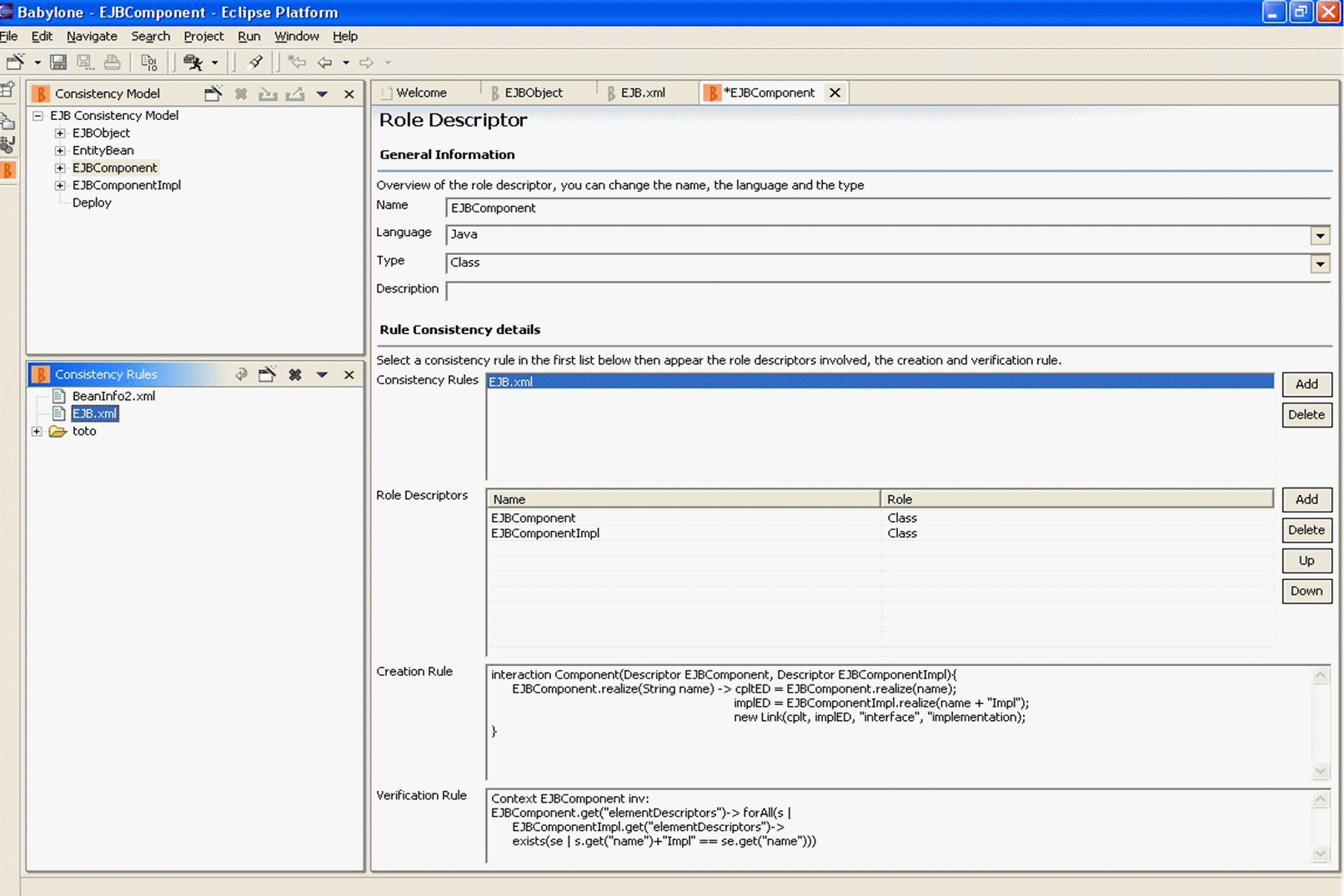
The Babylon perspective shown in the following figure is
mainly dedicated to the framework developer. It provides
facilities to create the consistency model (FCM3) of a
framework as while this one being developed. It includes a view
and an editor to manage the dependencies library as well as a view
and an editor to associate consistency rules with role
descriptors. The consistency model is saved in a separated file
which will be delivered with the framework.
The framework user part
Because as developers we do not like changing our habits and being
disturbed, we did not created a framework user perspective and the
integration of Babylon has been made as discreet as possible while
maximizing the assistance. To start receiving dynamic assistance,
the user has to associate its project with a consistency model.
Once this is done, it will not receive assistance before opening
the Follow-up view. This view proposes role descriptors that
matches the element the user is currently editing. For example, in
the context of a project associated with the EJB consistency
model, if the user creates an interface extending
EJBObject, the Follow-up view will propose to associate
this interface with the role descriptor \Code{EJBComponent}. Of
course, the user has nothing to do if he does not want to take
advantage of the assistance. In contrary, if he decides to, he
just has to select the element in the Follow-up view and says
associate. From then on, the newly EJB component created (for
example Account) will be controlled and an implementation
class (ex. AccountImpl) and a deploy.xml file will
be automatically created. Note that the automatic creation can be
turned off and replaced by the corresponding tasks in the Task
List. This will give users the opportunity to accept or deny the
proposed operations.
If the user misses an association, it is still possible to use the
browser associated with the targeted language and use contextual
menus to associate an element with a role descriptor.
The verification is triggered explicitly by the user on a per
project basis. The result indicates which constraints are violated
if any.
next page
|